Imagup General Magazine 2025
Typing has become one of the most repeated actions in modern work. Emails, reports, chats, research, and coding all rely on it. Many people assume faster typing comes only from practice. Practice matters, yet the tools and environment around your keyboard influence productivity just as much.
Keyboard personalization helps reduce errors, improve speed, and make long typing sessions less tiring. Small adjustments to layout, shortcuts, and typing tools can transform the way your hands move across the keys.
This article explains how better keyboard personalization improves daily typing and how anyone can apply practical adjustments to work more efficiently.
Choosing the right input tools for your workflow
Before adjusting layouts or shortcuts, it helps to evaluate the typing tools you use. Input software and smart typing assistants can significantly influence daily typing efficiency.
Many professionals prefer enhanced input systems that support predictive typing, intelligent suggestions, and multilingual flexibility. Tools such as Sogou are widely used for this reason, especially by people who work across languages or frequently type specialized terms.
Modern input systems support daily typing by providing:
- Smart word prediction that anticipates commonly used phrases
- Personalized dictionaries that learn from your writing habits
- Faster character input when working with multiple languages
- Context aware suggestions that reduce repetitive typing
Choosing the right input software creates the foundation for effective keyboard personalization. Once the system understands your patterns, every keystroke becomes more efficient.
Adjusting keyboard layout for comfort and speed
The physical or digital keyboard layout strongly affects daily typing performance. Even minor layout adjustments can improve typing accuracy and comfort during long sessions.
Many people never change their layout settings. Yet keyboards offer flexible configuration options that support better typing ergonomics.
Common layout adjustments include:
- Switching between QWERTY, AZERTY, or language specific layouts
• Customizing key functions for frequently used commands
• Adjusting key sensitivity or repeat delay in system settings
• Using ergonomic keyboards designed to reduce wrist strain
When your layout matches your natural hand movement, daily typing becomes smoother. Typing fatigue decreases because fingers move efficiently instead of stretching for awkward key combinations.
Did you know
Studies from the University of North Carolina found that ergonomic keyboard adjustments can reduce wrist strain during prolonged typing sessions by up to 21 percent.
Small ergonomic improvements often translate into long term typing comfort.
Using keyboard shortcuts to reduce repetitive typing
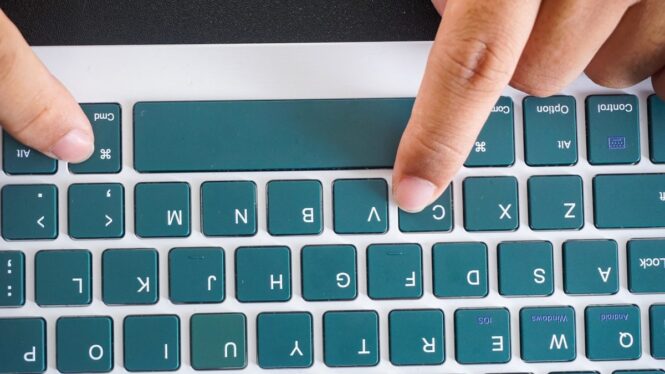
One of the fastest ways to improve daily typing efficiency is through keyboard shortcuts. Shortcuts replace repetitive actions with quick combinations that save time throughout the day.
Most professionals use a few basic shortcuts, yet advanced shortcut customization often remains unused. Creating shortcuts tailored to your tasks dramatically speeds up daily work.
Examples of useful keyboard shortcuts include:
- Quick insertion of commonly used phrases or email templates
- Instant formatting commands when writing documents
- Navigation shortcuts for switching between applications
- Clipboard shortcuts for copying large text segments
Many productivity tools also allow custom macro commands. A macro can insert an entire paragraph or perform multiple formatting steps instantly.
These small automation tools reduce the number of keystrokes required during daily typing. Over time the cumulative time savings become substantial.
Personal dictionaries and predictive typing
Another powerful keyboard personalization feature involves predictive typing and custom dictionaries. These tools allow your keyboard to learn how you write.
When predictive typing understands your habits, it suggests words before you finish typing them. That reduces keystrokes and improves daily typing speed.
Most modern systems allow users to build personalized dictionaries that include:
- Technical terminology used in professional writing
- Frequently typed names or phrases
- Abbreviations that automatically expand into full text
- Industry specific vocabulary
| Personalization feature | How it improves daily typing |
|---|---|
| Predictive typing | Reduces keystrokes by suggesting words |
| Personal dictionary | Prevents spelling corrections on known terms |
| Phrase shortcuts | Inserts long phrases instantly |
| Auto correction | Fixes frequent typing mistakes |
These tools work quietly in the background, improving typing flow without interrupting the writing process.
Creating a comfortable typing environment
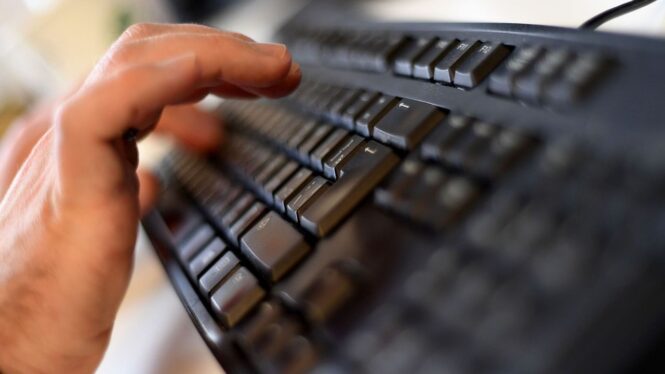
Keyboard personalization goes beyond software. Your physical typing environment plays a major role in daily typing performance.
Poor posture, incorrect keyboard height, or cramped desk setups often lead to slower typing and discomfort. Adjusting the physical workspace helps your hands move naturally across the keyboard.
Important environmental factors include:
- Keyboard placement slightly below elbow level
- Proper wrist support to maintain neutral hand position
- Adequate lighting to reduce eye strain during typing
- A comfortable chair that keeps shoulders relaxed
If you notice typing fatigue after long sessions, adjust keyboard height first. Small height changes can significantly reduce wrist tension and improve typing comfort.
Comfortable working conditions make daily typing feel smoother and less tiring.
Monitoring your typing progress and habits
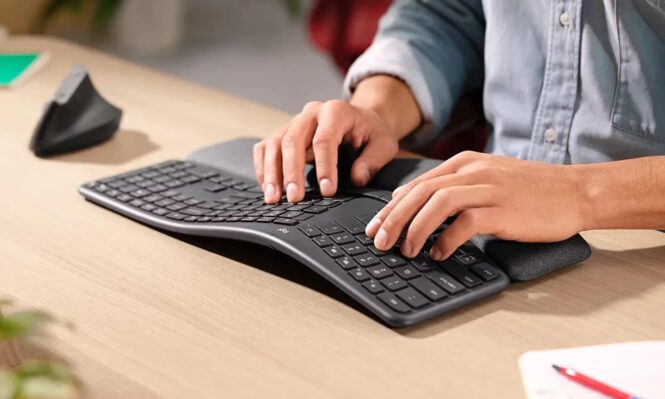
Personalization works best when you monitor results and refine your setup over time. Tracking typing habits helps identify areas where improvements are possible.
Typing analysis tools measure speed, accuracy, and typing patterns. These insights allow you to make targeted adjustments that support more efficient daily typing.
Key metrics worth tracking include:
- Words per minute during typical writing tasks
- Error rate during long typing sessions
- Time spent correcting mistakes
- Frequently repeated phrases or commands
Some tools also display heatmaps showing which keys you use most often. This information can guide shortcut creation or layout adjustments.
Consistent monitoring helps transform keyboard personalization into a long term productivity strategy.
Final thoughts
Improving daily typing does not require dramatic changes or expensive equipment. In many cases, simple keyboard personalization produces noticeable results.
Better input tools, customized shortcuts, predictive typing, and ergonomic adjustments all work together to improve typing efficiency. Each small improvement removes friction from the writing process.
Once typing feels natural and comfortable, focus shifts away from the keyboard itself. Attention moves toward ideas, communication, and creativity.
That is the real goal of keyboard personalization. When the tools match your workflow, daily typing becomes effortless rather than exhausting.